A walk through Terrace Tally as your group actually uses it, screen by screen: the Predictions League, Last Man Standing, your notifications, and then what the person running a game can do. Everything here is the real app, with an invented group standing in for yours.
Jump to: Predictions League · Last Man Standing · Notifications · Running a Predictions League · Running Last Man Standing
Predictions League
One club, every fixture of the season. You predict the score and the scorers before each game, points are worked out from the result, and a table keeps everyone honest. Your group runs it privately: nobody outside sees your picks or your points.
Getting in
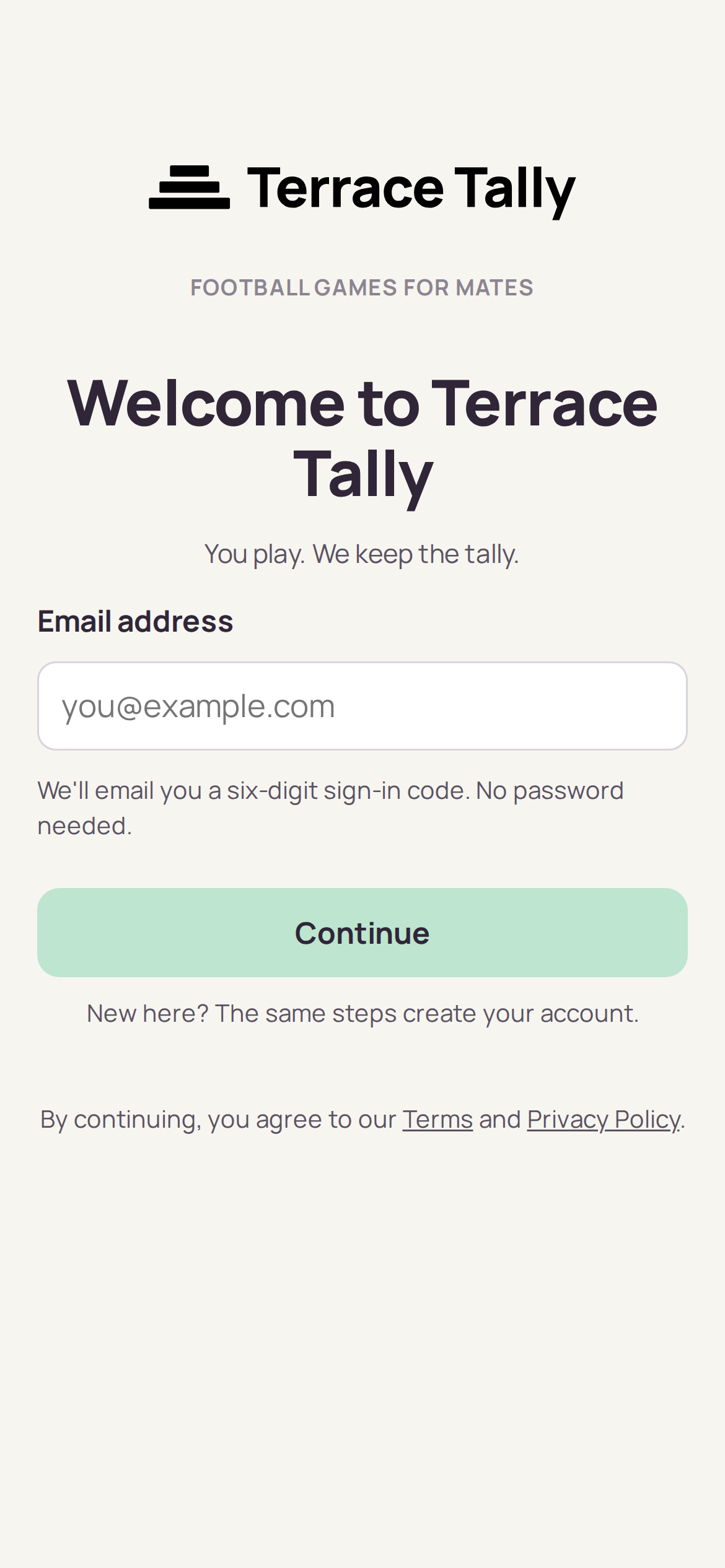
You join from a link the person running your group sends you, usually into the group chat. There is no password. You enter your email address, a six-digit code arrives, and you are in. The code lasts ten minutes and the app remembers you afterwards, so on your own phone you sign in once and rarely again.
Your games
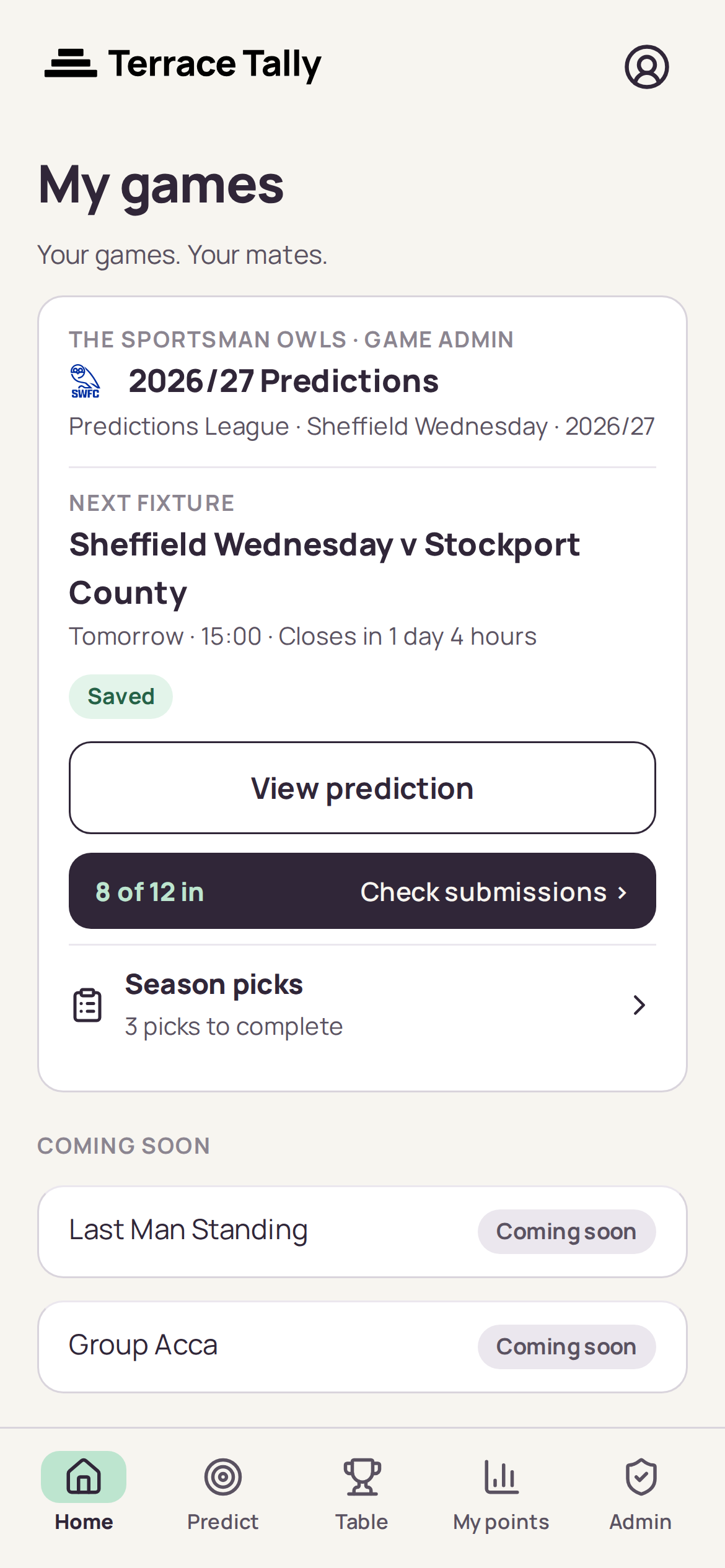
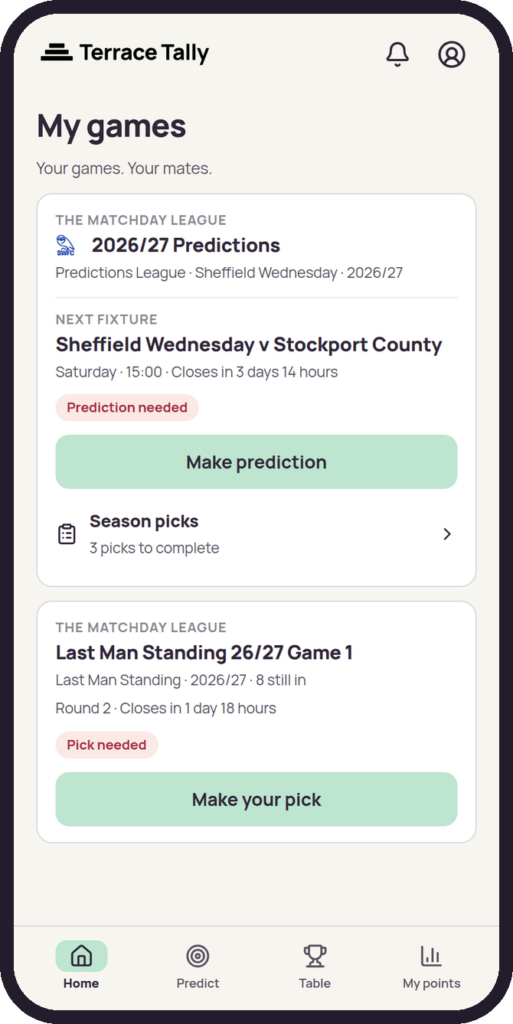
The home screen is a card for each game you play, with the next fixture and whether your prediction is in. If something needs doing it says so here: a prediction needed, season picks outstanding, or nothing at all if you are up to date.
Making a prediction
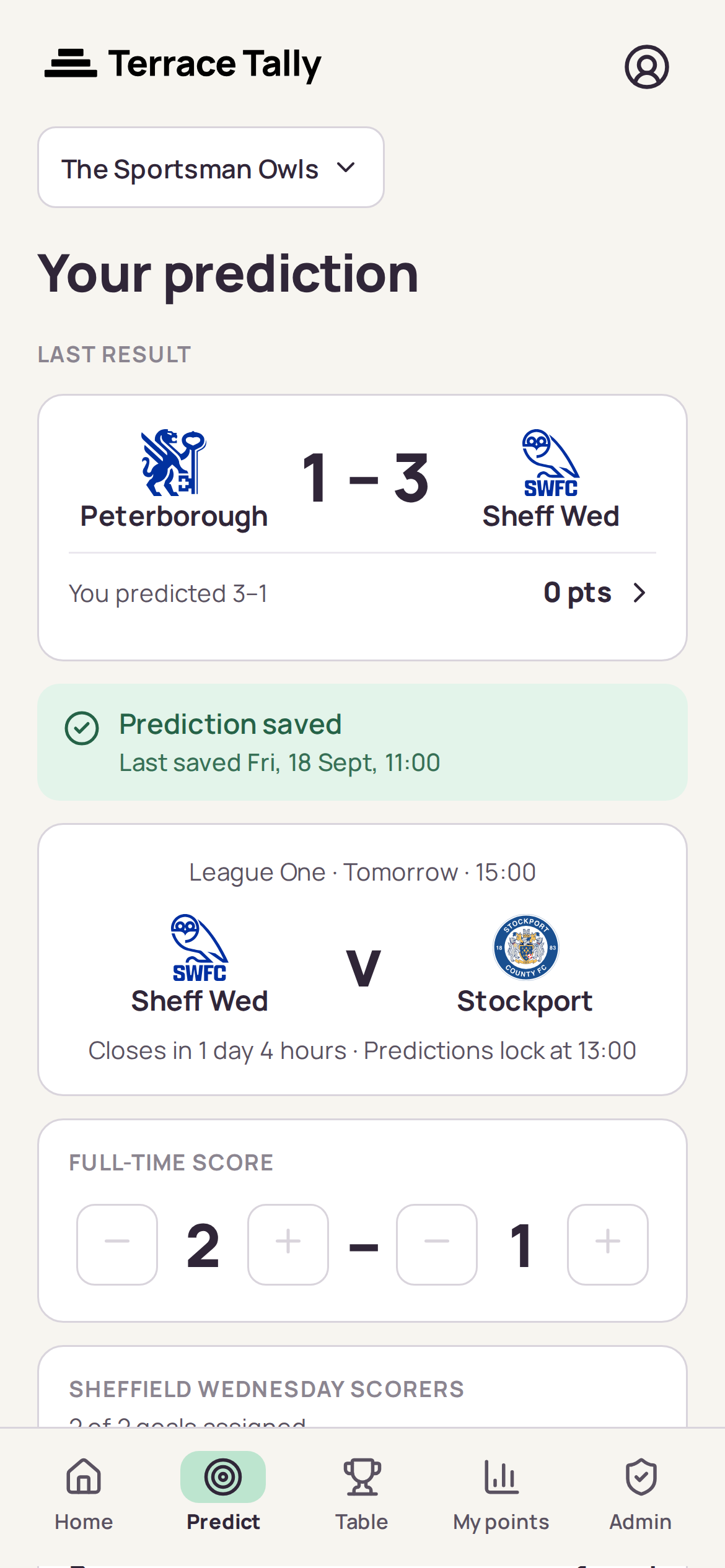
Tap Predict and you get the next fixture with a full-time score to set. Predictions close before kick-off, at whatever deadline your group has chosen, and you can change yours as many times as you like until then.
Above the form, for a day or two after a game, you will also see the last result with what you predicted and what it earned you.
In a cup tie the fixture says which scoreline counts. Your group scores on the result after 90 minutes, so extra time and penalties do not count, for the score or for the scorers.
Scorers and the Joker
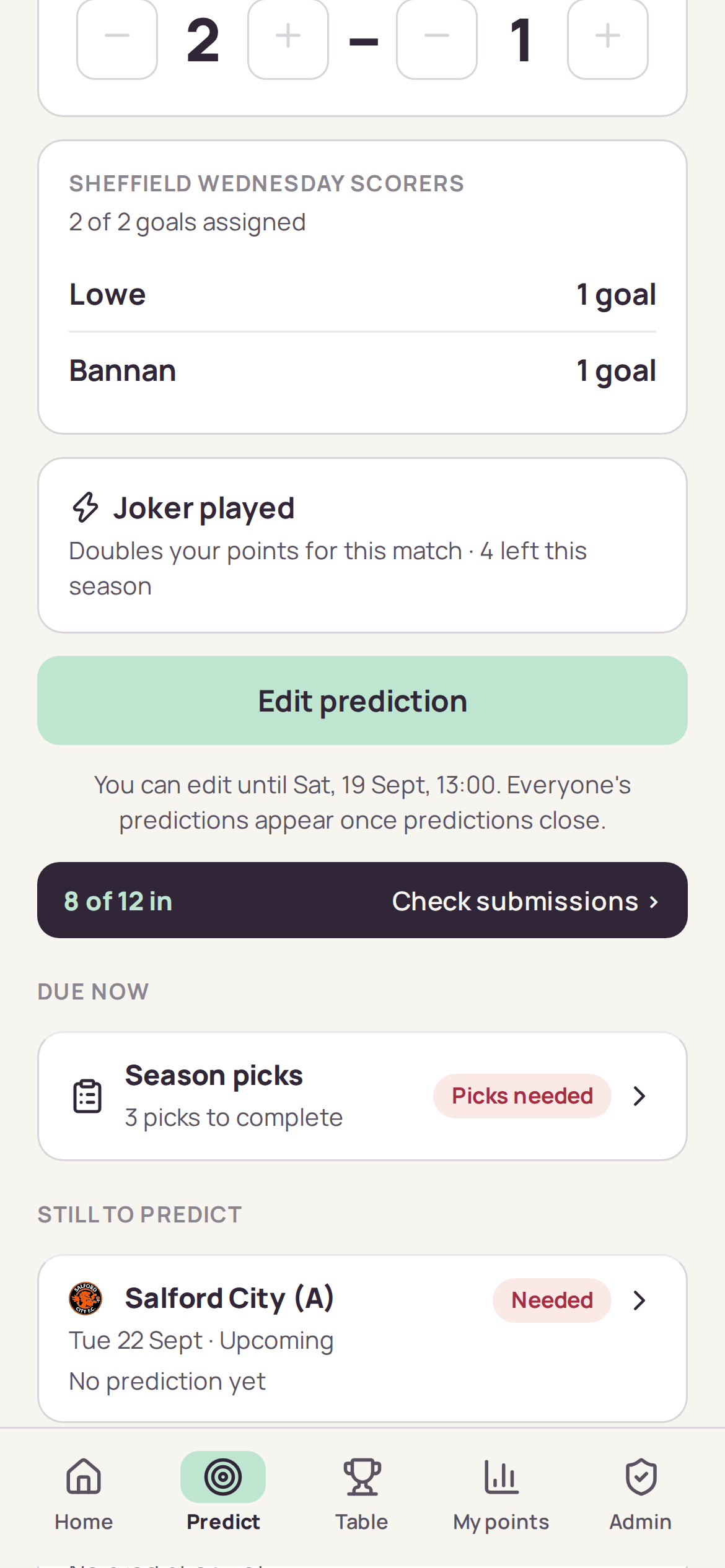
Predicting a score for your club means naming who you think will score. One selection per goal: pick a player twice if you fancy them for two. Scorers are worth points of their own, so they are worth thinking about rather than guessing.
The Joker doubles everything you score in one match. You get a handful for the season and no more, so the interesting decision is not whether to play one but when. The screen tells you how many you have left.
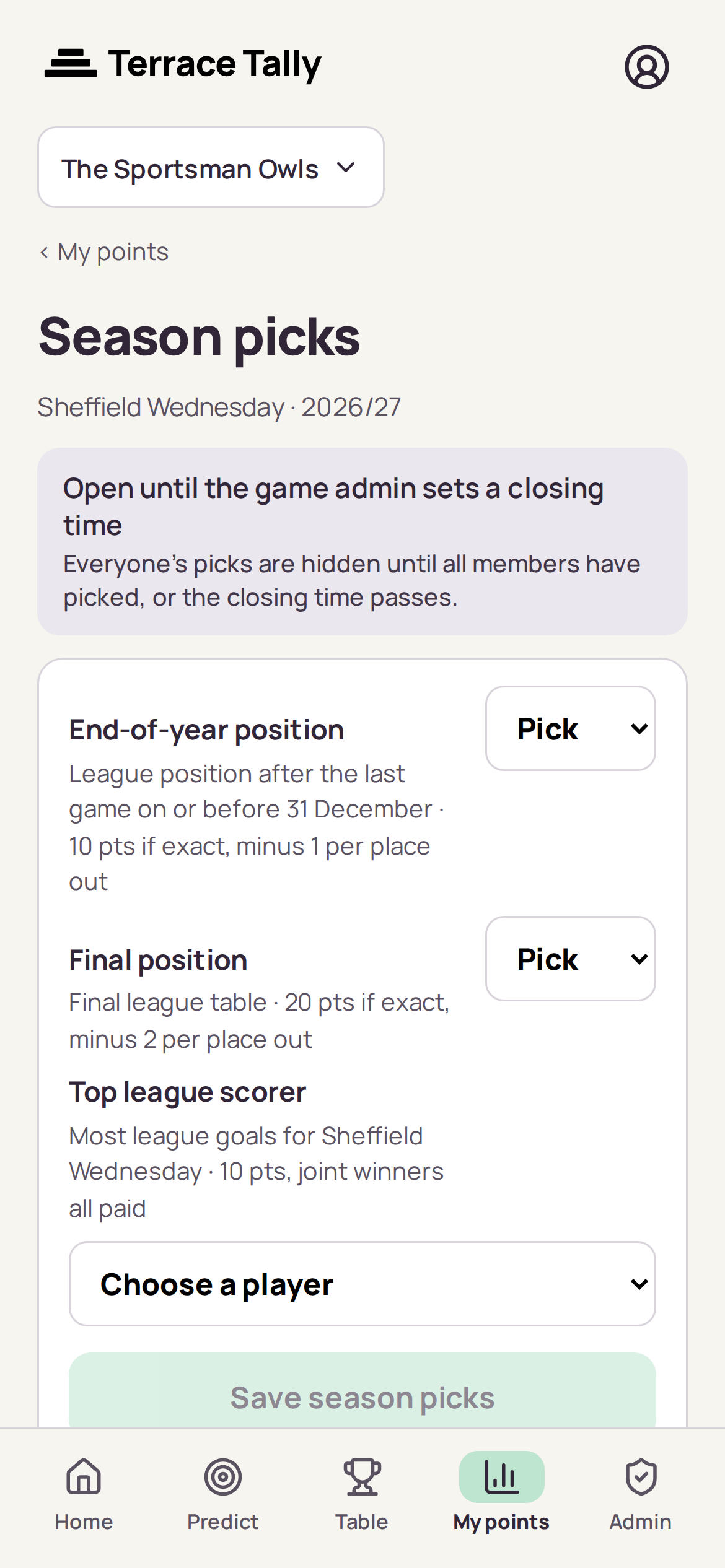
Season picks
Three predictions you make once: where your club finishes the calendar year, where it finishes the season, and who tops its scoring charts. They are worth serious points and everyone is kept in the dark until either the deadline passes or everybody has picked.
Once predictions close
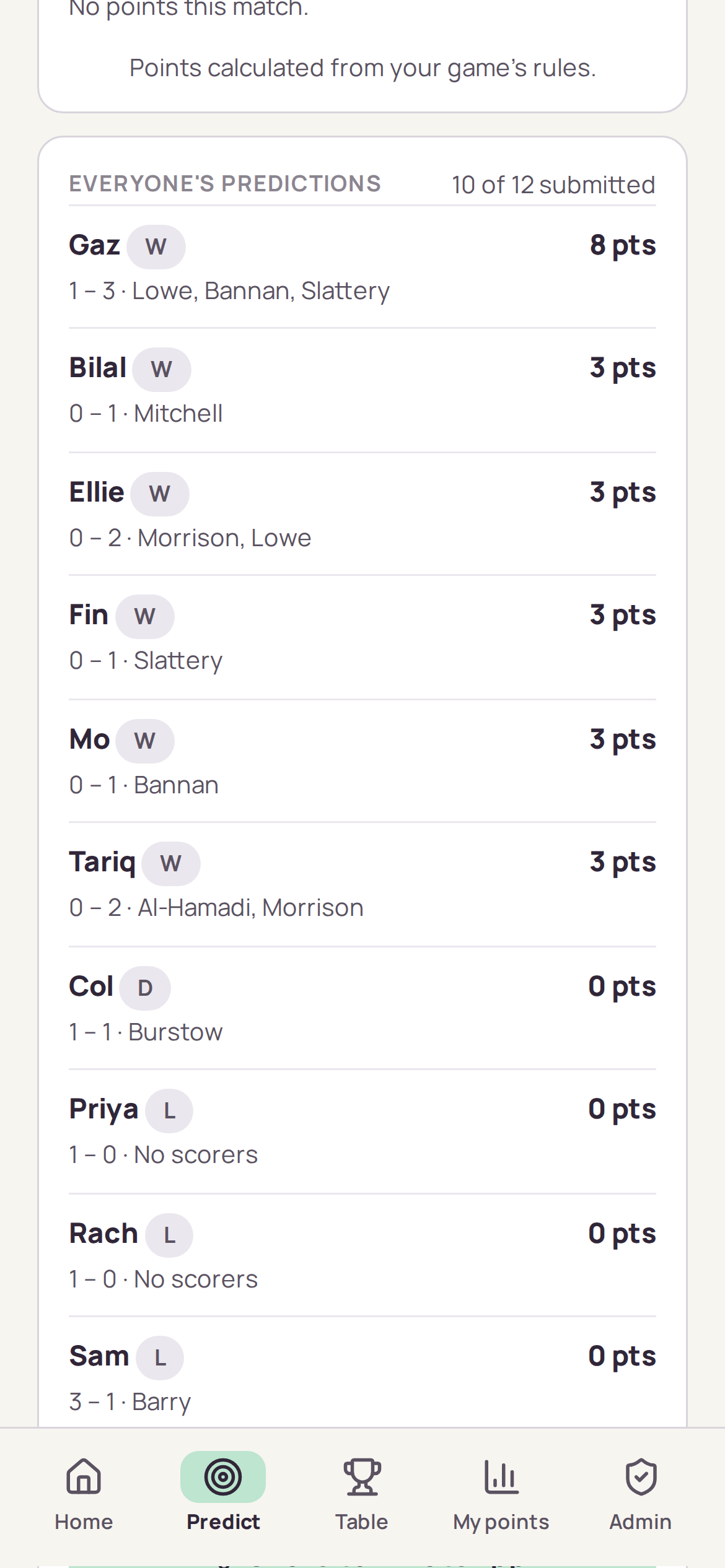
At the deadline everyone’s predictions appear, and stay visible through the match. If everyone is in early, an admin can close predictions there and then rather than waiting, which is usually how the picks reach the group chat the night before a game. Once the result is in, each line shows what that member scored and why. This is where most of the argument happens. If you want it, the app also tells you when everyone’s predictions are in.
Your points
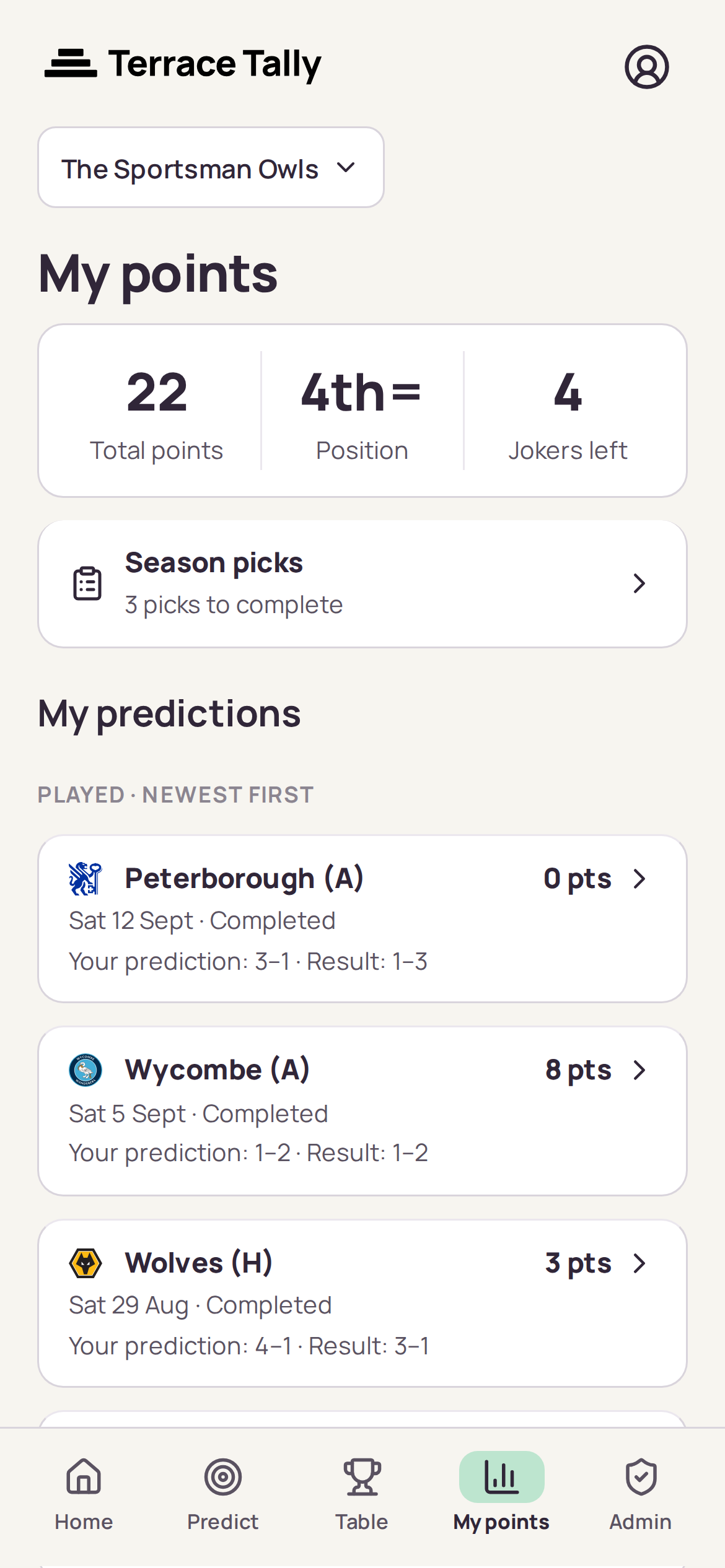
My points is your own record: total, position, Jokers left, and every fixture you have played with what you predicted, what happened and what it was worth. Tap any fixture for the full breakdown.
The table
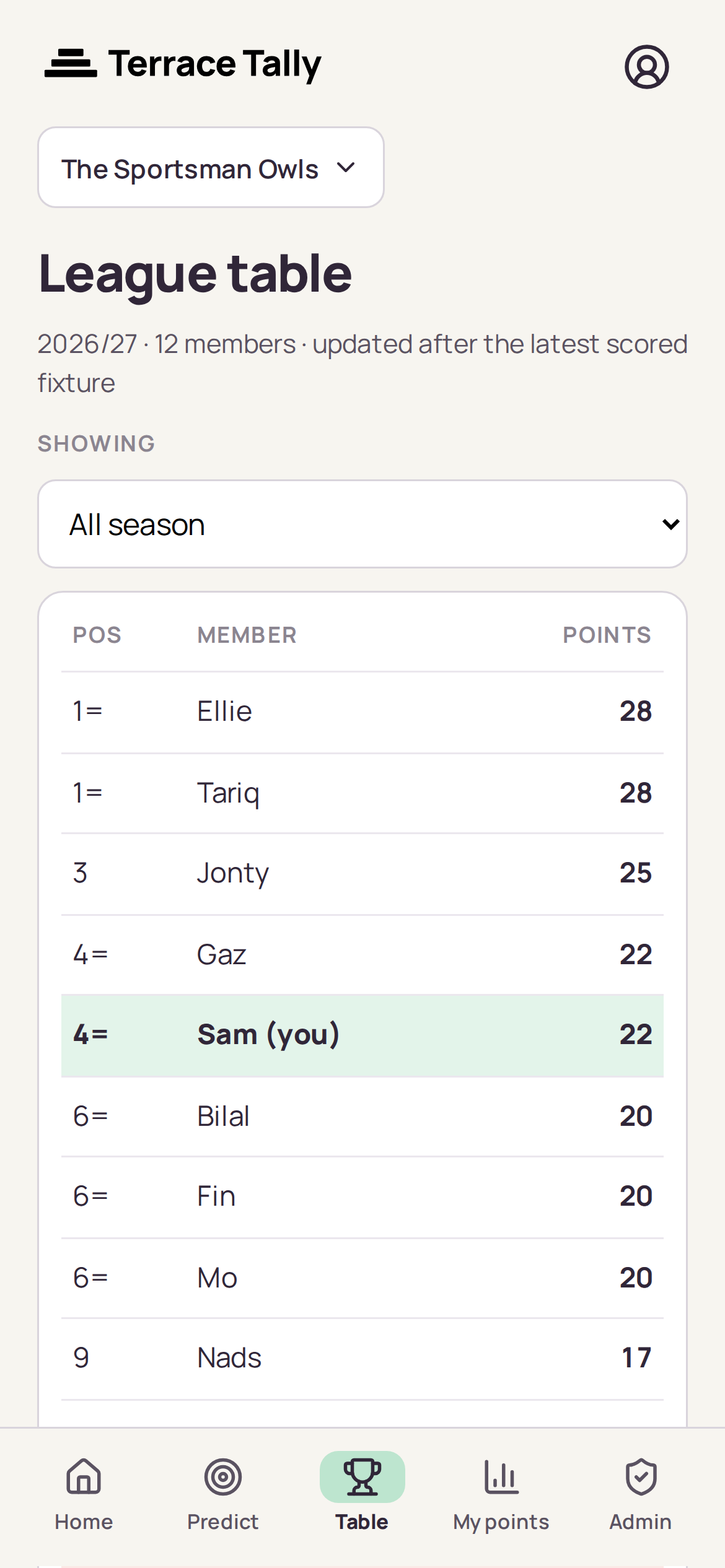
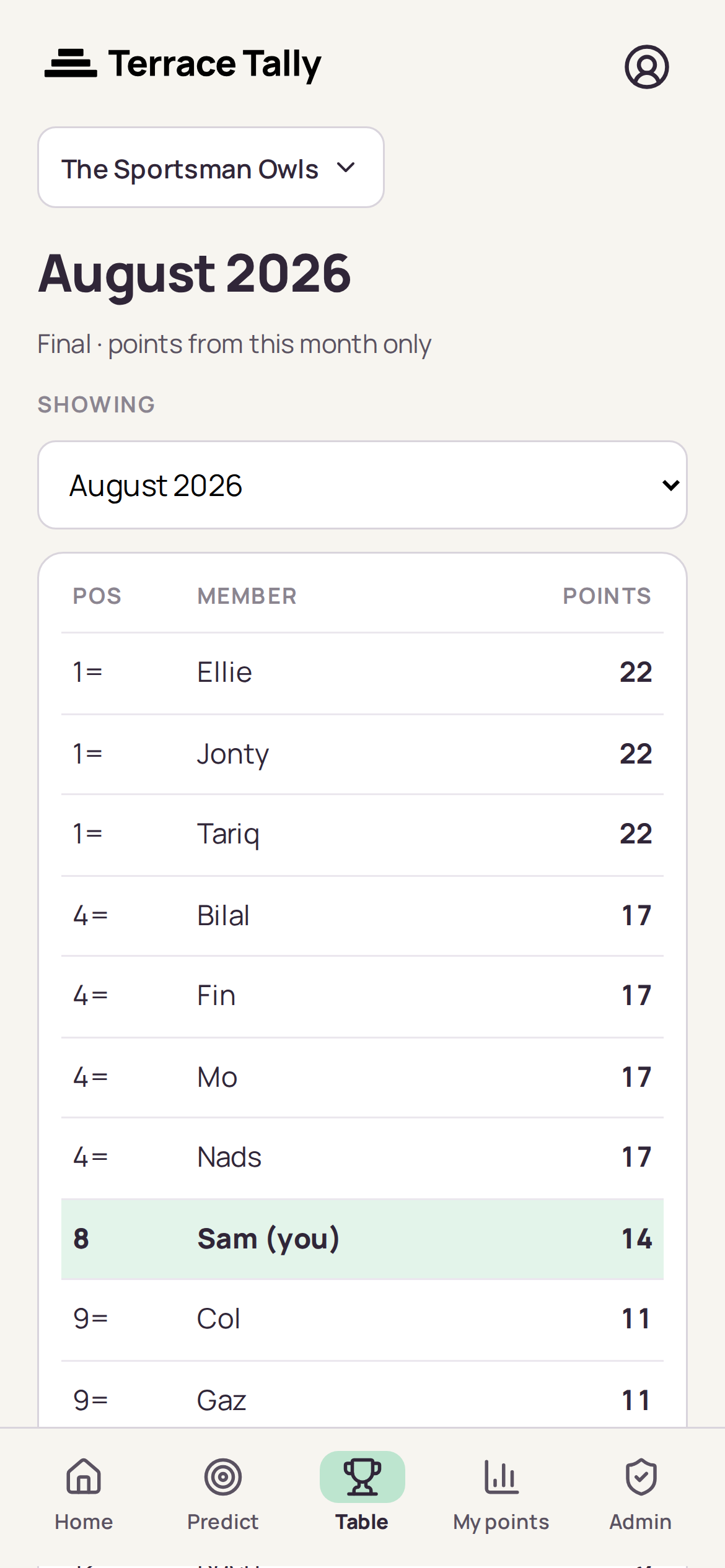
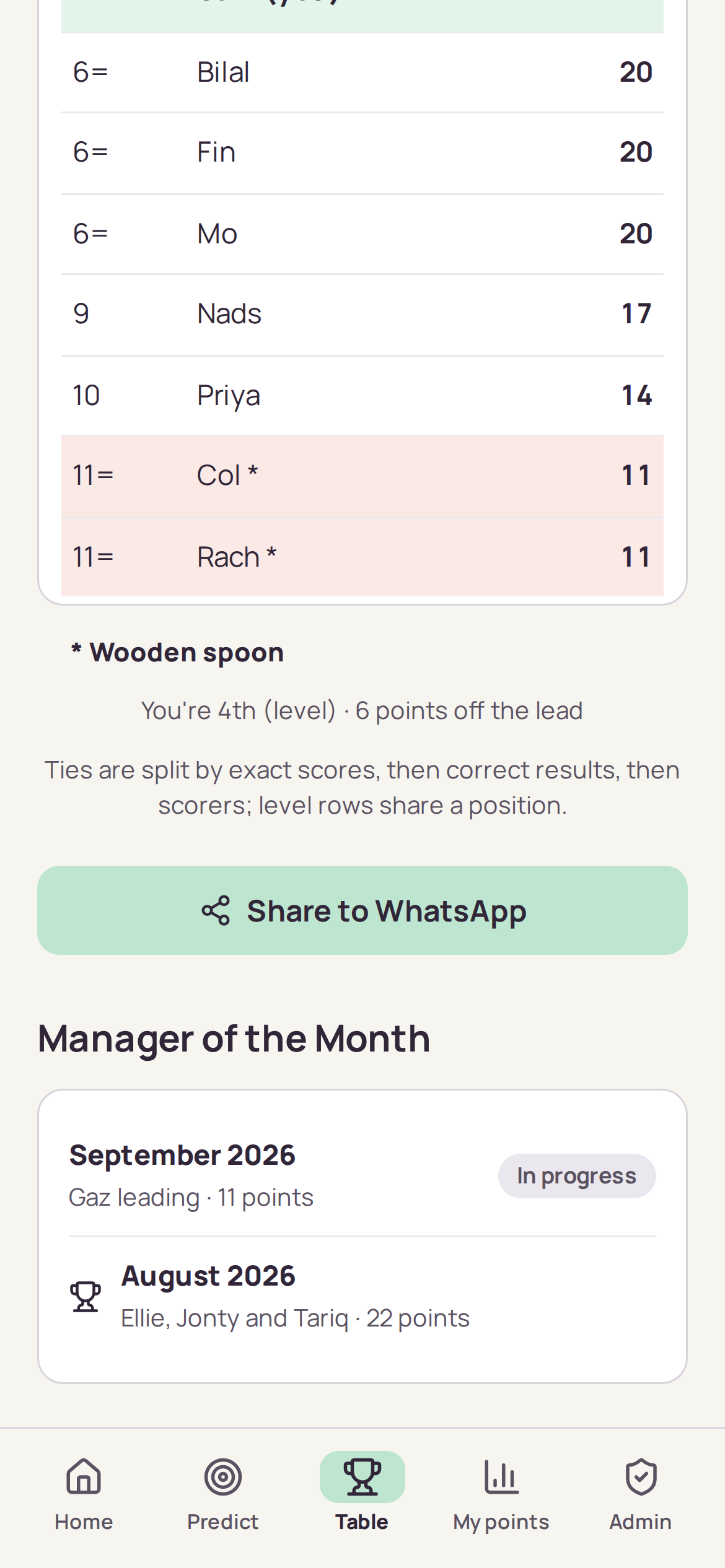
The league table, with you highlighted. Members level on points are split by exact scores, then correct results, then scorers, and genuinely level members share a position. If your group has named a bottom place, it is marked with an asterisk and named underneath.
Manager of the Month
Most points in a calendar month wins the month. Switch the table to any month to see it on its own, and the roll of honour lists every month, newest first, with the month in progress shown as leading rather than won until its last fixture is scored.
Sharing with the group
Any member can share the table or everyone’s predictions. The app draws them as a picture, so the columns hold whatever size your group is and whatever phone it lands on, and hands it to your share sheet with a short message and a link. You pick where it goes, and you can edit the message before it does. The banter stays where it already lives.
Last Man Standing
Pick one team each round. If they win, you are through; if not, you are out. You cannot pick the same team twice, and the last one standing wins. Your game’s Rules screen shows exactly how your group plays it, and the full list of choices is on Last Man Standing rules.
Joining
Last Man Standing appears on your home screen as its own card, next to any Predictions League in the same group. Open it and tap Join Last Man Standing. You can join until round one’s picks close; after that, ask the person running the game.
Making your pick
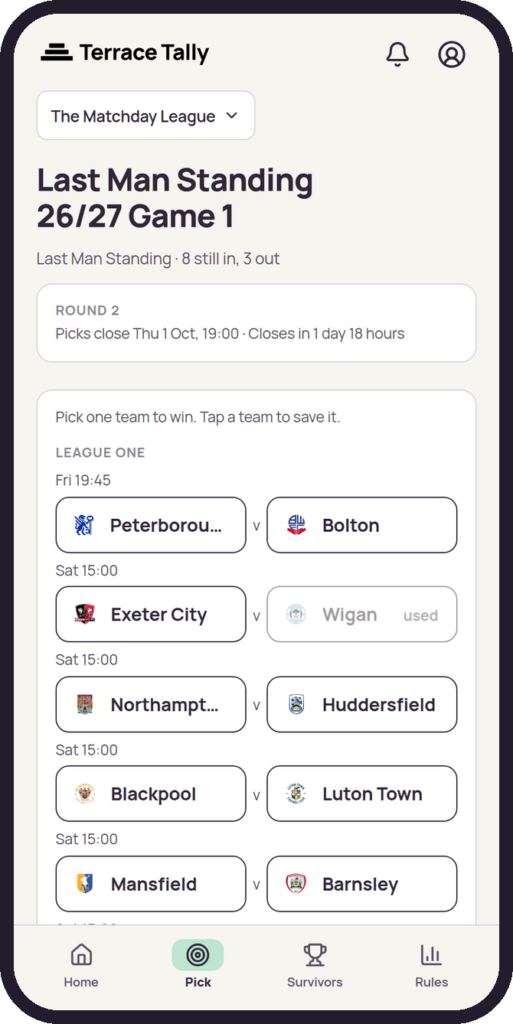
The round’s fixtures are listed by league, with each match’s kick-off. Next to each team is its league position and its last five league results, so you can see who is in form. Tap the team you think will win. Teams you have used before are greyed out. You can change your pick as often as you like until the deadline, shown at the top with a countdown.
When picks close
Nobody sees anyone else’s pick before the deadline. At the deadline everyone’s picks appear on the game screen. A pick given to someone who did not pick in time, or entered late by the person running the game, is labelled. Share the picks sends them to the group chat as a picture.
Through or out
Results come in from our football data feed, and the round settles itself once every match has finished. The game screen shows the round’s result, and Survivors shows who is still standing, who is out and in which round, with every pick. Share round N’s result sends the result to the group chat.
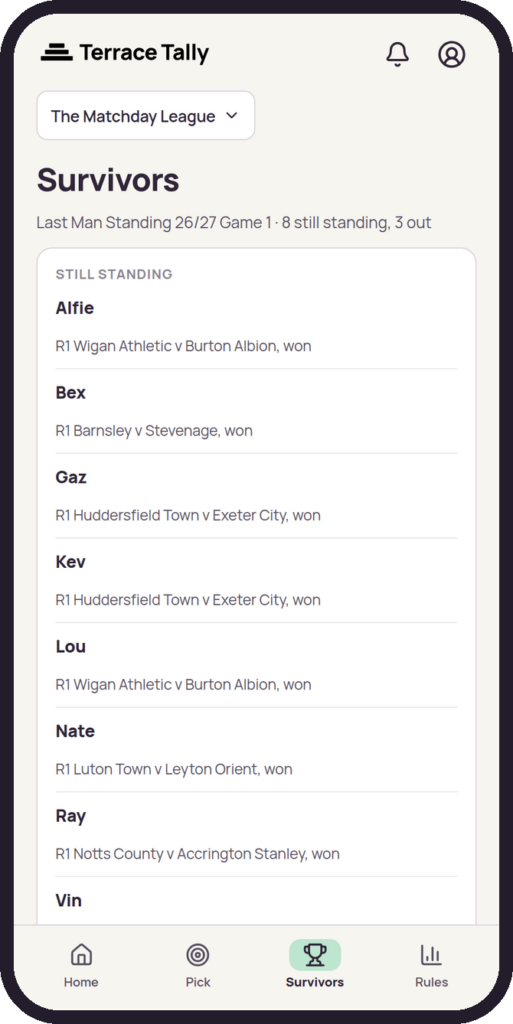
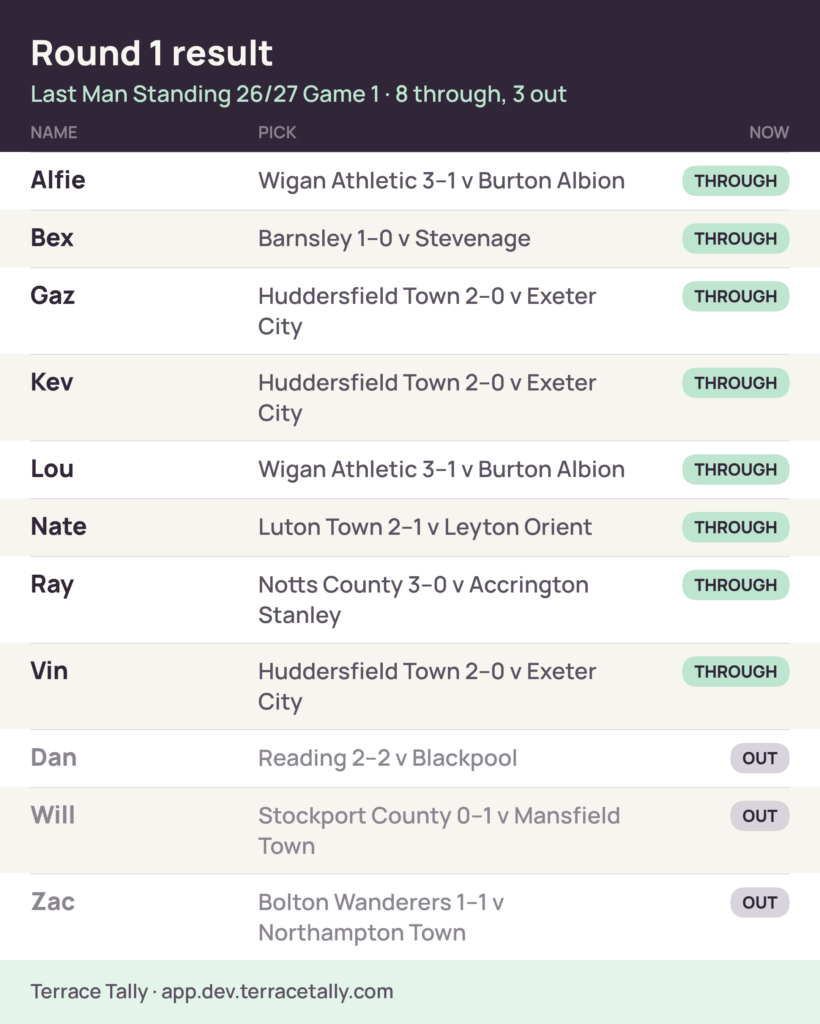
The winner
When one entry is left, the game shows the winner, and Share the winner sends their route, round by round. No more rounds open.
Notifications
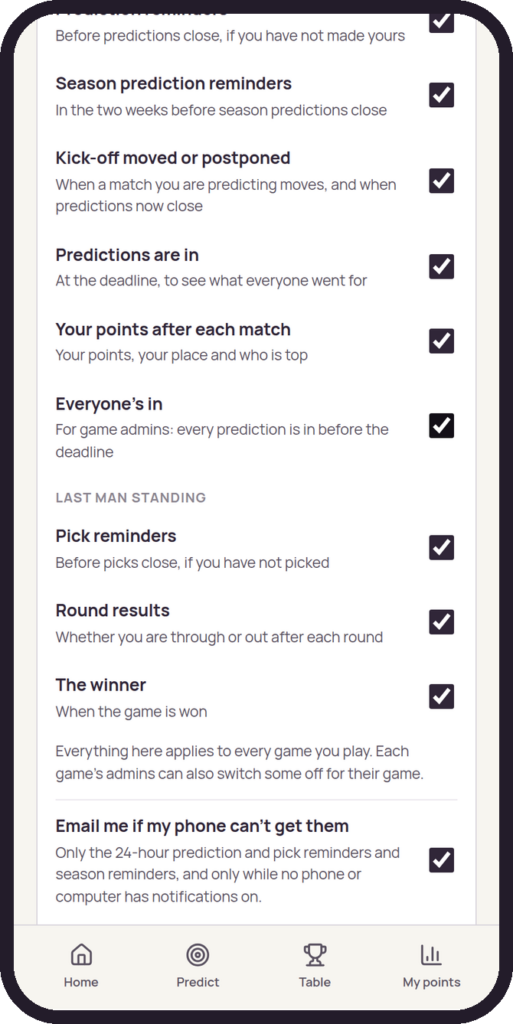
The first time you open the app on your phone, a card asks if you want reminders. Tap Yes, remind me and allow notifications when your phone asks. You choose what you get in Account, where the choices are grouped by game, and the bell at the top of the app keeps everything you have been sent. On an iPhone, add Terrace Tally to your home screen first.
Running a Predictions League
If you are the person who set the group up, you get an Admin tab in the app. Almost everything you need on a matchday is there, on your phone, and takes seconds.
Who is in
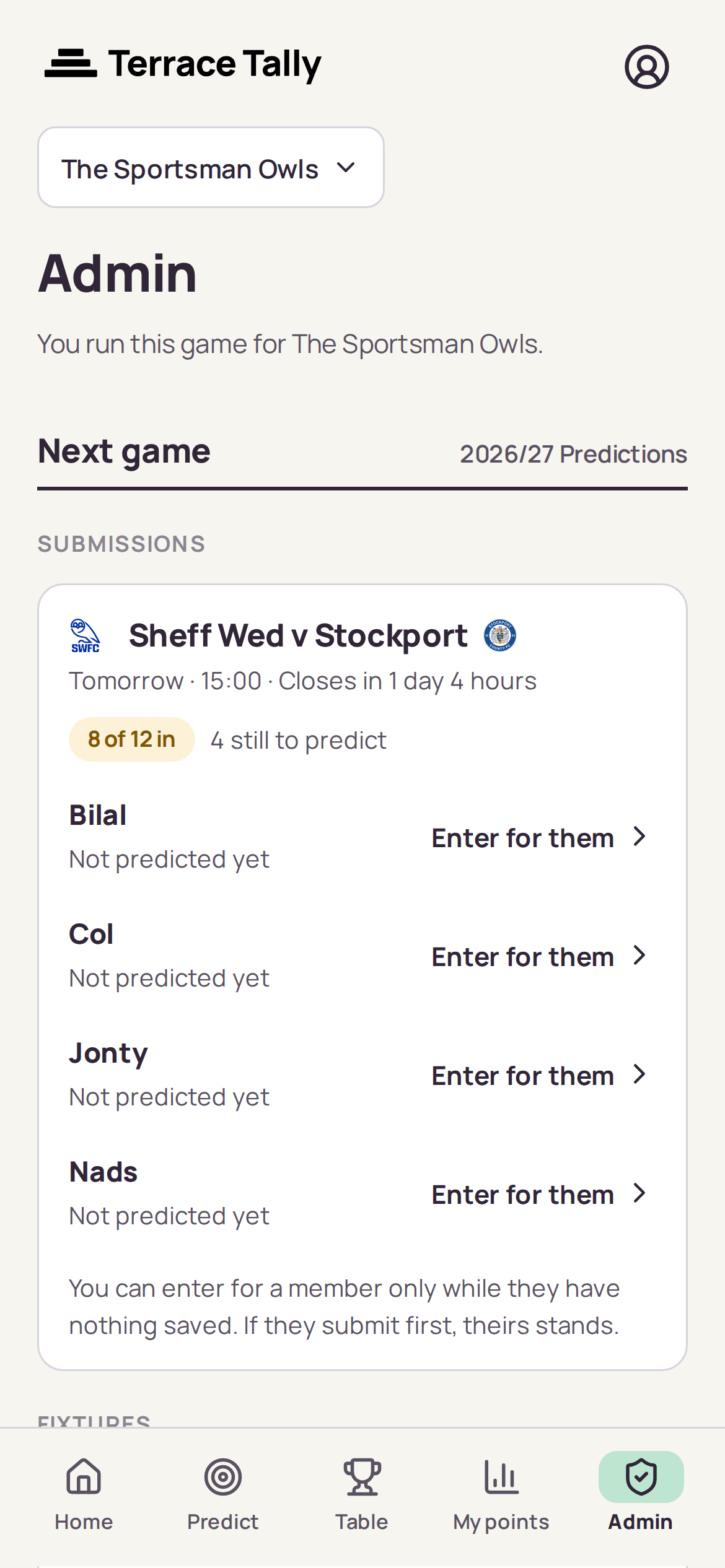
Admin opens on the next fixture with a count of who has predicted and a list of who has not. If someone sends you their prediction by text because they cannot get to their phone, you can enter it for them, but only while they have nothing saved: if they submit for themselves, theirs stands. A prediction you entered stays yours to correct in case you typed it wrong, before or after the deadline; one a member saved themselves is theirs, and the app will not let you replace it.
Once everyone is in, you can close predictions early rather than waiting for the deadline, and share them straight away. It cannot be undone, so the app names anyone who has not predicted before you confirm: closing early means they score nothing for that fixture.
Remind the missing sends one reminder to everyone who has not predicted the fixture yet.
Postponements and rescheduling
Postponements, abandonments and new kick-off times come from our football data feed and apply on their own, so there is nothing for you to do. If something looks wrong, email us at hello@terracetally.com. Predictions and Jokers are held throughout and reopen until the new deadline, so nobody loses a Joker to the weather.
Adding people
Invite someone by email and they get a link that signs them in and joins them to the game. Or create a link to drop into the group chat, with the option to approve each person before they are in.
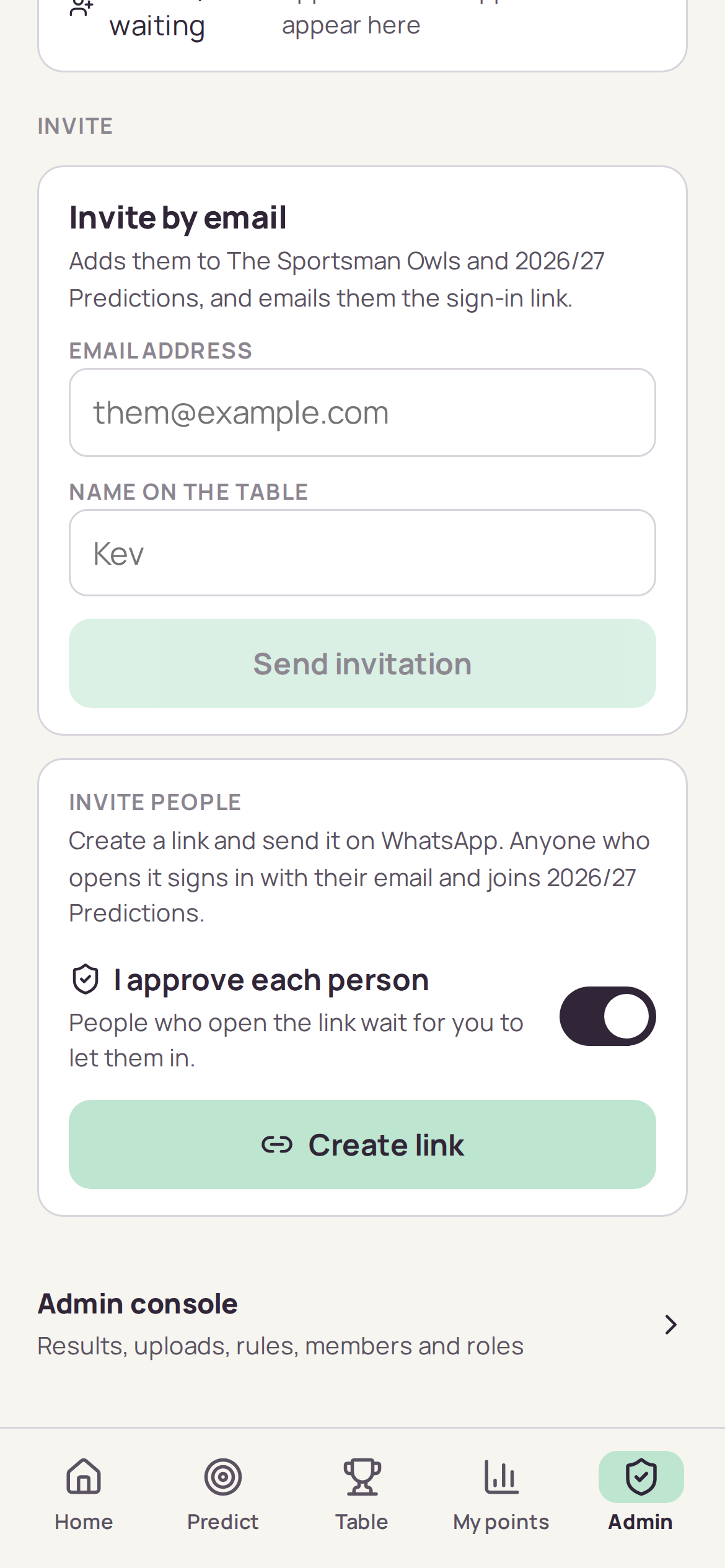
The admin console
There is a fuller set of controls in a separate admin console: the rules and scoring, members, roles and invitations, importing predictions for a league already under way, and the game’s notifications. Fixtures and results come from our football data feed, so there is nothing to enter or upload. The console does more than the phone screens and is best used from a desktop. The app links straight to it from the bottom of the Admin tab.
Running Last Man Standing
Starting a game
In the console, choose New game, then Last Man Standing. Pick the leagues and check the rules, then press Start the game. Rounds open, lock and settle on their own from then on. If you change the deadline rule later, the round that is open moves with it, as long as its picks have not closed.
The Round tab
The round in play, its fixtures and deadline (Move deadline changes it for this round only), then Picks for round N: every entry still in, with a team picker. Save your own pick here, or enter or replace one for anyone who sends you theirs. Before the deadline, a pick you enter is shown as entered by an admin, the member can still change it in the app, and you cannot see anyone else’s pick. After the deadline, a pick you enter is late and always shown as late.
Under the picks are the next round’s dates and likely deadline, then the round history: every settled round, with who went through, who went out, and why.
Members
Everyone in the friends group, entered or not, and whether each entry has picked this round (never what). Enter someone adds an entry at any time. From here you can also withdraw an entry, decide on anyone asking to come back in, and tick off who has paid, with the total under the table. The money itself never goes through Terrace Tally.
Bringing a game from a spreadsheet
On the Round tab, open Import round N from a spreadsheet and choose a CSV file with four columns: Name, Email, Pick and Paid. It covers the round shown only. Press Check the file first: nothing is saved until you have seen the preview and pressed Import. From the next round, everyone picks in the app, or you import each round the same way.
Notifications
The game’s Notifications tab sets what it sends and when pick reminders go, and shows who can be reached.
Not in a group yet?
Terrace Tally is in a private pilot. Join the waiting list, tell us which game your group wants to play, and we will let you know when there is room.